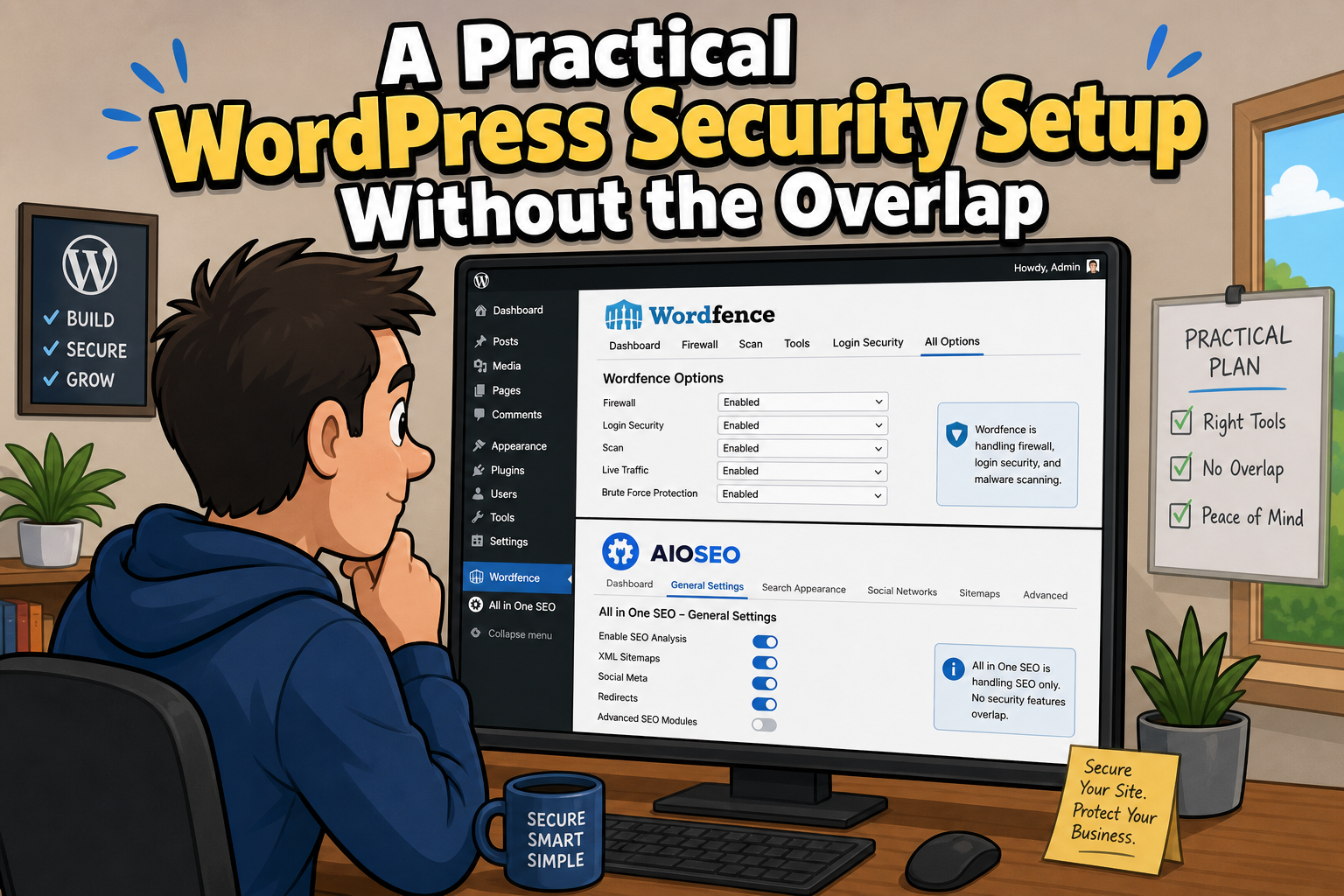
Wordfence and All In One WP Security can work very well together, but there is a lot of overlap between them.
Both plugins can protect logins, block malicious requests, restrict access, monitor activity and apply additional WordPress security controls. Simply enabling everything in both plugins is not a good strategy. It can create duplicate protection, conflicting rules, unnecessary processing and make it much harder to work out which plugin has blocked something when a problem occurs.
A better approach is to give each plugin a clear job.
Wordfence is the primary security system for the firewall, malware scanning, file comparison, brute-force protection, rate limiting and attack monitoring.
AIOS complements Wordfence with file and server hardening, permission checks, protection for sensitive files and a number of useful WordPress-specific security controls.
The tables below show how I would configure the two plugins together. They identify which plugin should handle each security feature, which overlapping settings should normally be disabled, and where the two plugins can safely complement each other.
The aim is simple: strong everyday WordPress protection without running two competing security systems.
Plugins covered
Wordfence Security – Firewall, Malware Scan, and Login Security
Developer: Wordfence
Availability: Free plugin with paid Premium, Care and Response options.
Official plugin page: Wordfence on WordPress.org
All-In-One Security (AIOS) – Security and Firewall
Developer: Team Updraft
Availability: Free plugin with Premium upgrade available.
Official plugin page: AIOS on WordPress.org
This guide covers the current Wordfence and AIOS plugin interfaces. Menu names and option locations can change between releases, so check the official plugin documentation if a setting has moved.
Import the recommended configuration
If you want to use the same baseline configuration described in this guide, you can download the exported settings for both plugins and import them into your own WordPress site.
This is the quickest way to get the main settings in place.
You should still review the imported configuration afterwards. Some security settings depend on the individual site, hosting environment, user roles and integrations.
Download the configuration files
Use the buttons below to download the exported settings. Once downloaded extract the relevant file from the ZIP file downloaded.
Download Wordfence configuration
Import the Wordfence configuration
In WordPress:
- Go to Wordfence → All Options.
- Find the Import/Export Options section.
- Import the downloaded Wordfence configuration.
- Save the changes if prompted.
Check Wordfence after importing
- Web Application Firewall is Enabled and Protecting.
- Extended Protection is still active.
- Brute-force protection is enabled.
- Administrator 2FA requirements are correct.
- Rate-limiting settings are appropriate.
- Scan options are enabled as expected.
- PHP execution is disabled in the uploads directory.
- Live Traffic is set to Security Only.
- Any IP allow lists or block lists are appropriate for your site.
- Country blocking is not enabled unless you specifically require it.
Some Wordfence settings depend on the server or WordPress installation and may not transfer perfectly between websites.
Import the AIOS configuration
In WordPress:
- Go to AIOS → Settings → Import/Export.
- Choose the downloaded AIOS configuration file.
- Import the settings.
- Review the imported options before relying on them.
Check AIOS after importing
- AIOS Login Lockout remains disabled.
- AIOS two-factor authentication remains disabled.
- Duplicate login CAPTCHA protection remains disabled.
- Cookie-Based Brute Force Prevention remains disabled.
- 6G and 8G broad firewall rules remain disabled.
- PHP file editing is disabled.
- Sensitive file protection is enabled.
- Directory listing protection is enabled.
debug.logprotection is enabled.- Fake Googlebot protection is enabled.
- File permissions have been reviewed.
- REST API restrictions have not been enabled unless required.
- XML-RPC has not been disabled unless you know the site does not use it.
Check the site after importing
Do not assume that an imported security configuration is suitable for every WordPress installation.
After importing both configurations:
- log out and log back in
- test the WordPress administrator login
- test password reset
- check the block editor
- submit important forms
- test contact forms and payment forms
- test any external API integrations
- check Jetpack or remote-management services
- check scheduled tasks and cron jobs
- browse several public pages
- review Wordfence firewall activity
- check the AIOS logs for unexpected blocks
If something stops working, review the most recently imported or enabled rule before changing several settings at once.
The supplied configurations should be treated as a secure starting point, not a substitute for checking the individual WordPress site.
Firewall and request protection
| Security feature | Wordfence | AIOS | Recommended approach |
|---|---|---|---|
| Web Application Firewall | Firewall Status: Enabled and Protecting. Protection Level: Extended Protection. | 6G / 8G firewall rules: OFF. Basic .htaccess protection: ON. | Use Wordfence as the primary WAF. Keep AIOS basic server-level hardening enabled, but avoid overlapping broad firewall rule sets. |
| Fake Googlebots | No separate setting required here. | Block Fake Googlebots: ON. | Let AIOS handle this specific check. |
| Blank User-Agent / Referer POST attacks | Equivalent rule: OFF if AIOS handles it. | Block POST requests with blank User-Agent and Referer: ON, normally. | Enable this in one plugin only. Use AIOS for this specific rule. |
| Rate limiting | Enable Rate Limiting and Blocking: ON. | Equivalent rate / lock controls: OFF. | Keep request throttling with Wordfence. |
| Country blocking | Use Wordfence if Premium. | OFF if Wordfence handles it. | Use one country-blocking system only. |
| 404 attack detection | Rate limiting / WAF: Primary defence. | Smart 404 Blocking: Optional, Premium. | Wordfence is normally sufficient. Add AIOS Smart 404 Blocking only if there is a clear need. |
Malware scanning and file integrity
| Security feature | Wordfence | AIOS | Recommended approach |
|---|---|---|---|
| Malware scanning | Standard Scan: ON. Scheduled scans: ON / Daily. | Malware scanner: OFF. | Use Wordfence as the primary malware scanner. |
| WordPress core comparison | Scan core against repository: ON. | No equivalent required. | Use Wordfence repository comparison to detect modified core files. |
| Plugin comparison | Scan plugins against repository: ON. | No equivalent required. | Use Wordfence for repository-backed plugin comparison. |
| Theme comparison | Scan themes against repository: ON. | No equivalent required. | Use Wordfence for supported repository themes. |
| File change detection | File scanning: Primary. | File Change Detection: Optional. | Wordfence should remain the main file-integrity system. AIOS can provide an additional notification layer if wanted. |
| PHP execution in uploads | Disable Code Execution for Uploads directory: ON. | No duplicate control required. | Enable in Wordfence. This is a valuable protection against executable files being run from /uploads/. |
Login and brute-force protection
| Security feature | Wordfence | AIOS | Recommended approach |
|---|---|---|---|
| Brute-force protection | Enable brute force protection: ON. | Login Lockout: OFF. | Let Wordfence own login throttling and lockouts. |
| Failed login threshold | Lock out after login failures: 20. | OFF. | Use the Wordfence threshold only. |
| Forgot-password threshold | Lock out after forgot-password attempts: 5. | OFF. | Keep this under Wordfence. |
| Failure counting window | Count failures over: 5 minutes. | OFF. | Use the Wordfence setting. |
| Lockout duration | 1 hour. | OFF. | A reasonable starting point for a small business site. |
| Invalid usernames | Immediately lock out invalid usernames: ON. | No duplicate rule required. | Useful where there are only a few legitimate users. |
| Blocked usernames | Immediately block usernames: admin plus known bogus names. | No duplicate rule required. | Never add a real username to the blocked list. |
| Cookie-based brute-force prevention | Wordfence handles brute-force defence. | OFF. | Avoid running a second independent brute-force system. |
Passwords, 2FA and login CAPTCHA
| Security feature | Wordfence | AIOS | Recommended approach |
|---|---|---|---|
| Breached passwords | Prevent use of breached passwords: ON. | No duplicate required. | Use Wordfence. |
| Strong passwords | Enforce strong passwords: Admins and publishers. | No duplicate required. | Keep password enforcement with Wordfence. |
| Two-factor authentication | 2FA: ON for administrators. | Two-factor authentication: OFF. | Use one 2FA system only. |
| Login CAPTCHA | Use Wordfence if required. | Login CAPTCHA: OFF. | Avoid two CAPTCHA systems on the same login form. |
Username and account protection
| Security feature | Wordfence | AIOS | Recommended approach |
|---|---|---|---|
| Login error disclosure | Don’t reveal valid users in login errors: ON. | No duplicate required. | Use Wordfence. |
| Username discovery | Prevent username discovery through author scans / REST / oEmbed / XML sitemaps: ON. | Prevent User Enumeration: OFF. | Keep enumeration protection with Wordfence. |
admin username registration | Prevent registration of admin: ON. | Detect admin username: Use as audit only. | Wordfence blocks future registration. AIOS can be used as a check for an existing account. |
| Display name = username | No specific role required. | Detect identical login/display names: ON / check. | Use AIOS as an account-hardening audit. |
File and server hardening
| Security feature | Wordfence | AIOS | Recommended approach |
|---|---|---|---|
| PHP file editor | No separate control required. | Disable PHP File Editing: ON. | Use AIOS to disable theme/plugin editing from WordPress admin. |
| File permissions | No primary role here. | File Permissions scanner: ON / review. | Use AIOS as an audit tool. |
| Sensitive WordPress files | No duplicate required. | Protect sensitive files: ON. | Use AIOS. |
| Directory browsing | No duplicate required. | Disable directory listing: ON. | Use AIOS. |
| Server signature | No duplicate required. | Disable server signature: ON. | Use AIOS. |
debug.log exposure | No duplicate required. | Block access to debug.log: ON. | Use AIOS. |
| WordPress salts | No direct equivalent. | Salt postfix / enhanced salts: ON. | Use AIOS. |
| Database prefix | No action required. | Change wp_ database prefix: Do not change purely for security. | Avoid unnecessary database modification on an established site. |
REST API, XML-RPC and application passwords
| Security feature | Wordfence | AIOS | Recommended approach |
|---|---|---|---|
| REST API restrictions | Username enumeration protection: ON. | Disallow unauthorised REST requests: Usually OFF. | Protect sensitive user discovery rather than blocking REST generally. |
| XML-RPC authentication | XML-RPC authentication protection: ON. | Disable XML-RPC completely: OFF normally. | Keep XML-RPC available where required, but protect authentication abuse with Wordfence. |
| XML-RPC pingbacks | No separate setting required. | Disable XML-RPC pingbacks: ON if available and not needed. | Safer than disabling XML-RPC completely. |
| Application passwords | Disable WordPress application passwords: ON unless required. | No duplicate required. | Disable unless a genuine integration needs them. |
IP blocking and traffic control
| Security feature | Wordfence | AIOS | Recommended approach |
|---|---|---|---|
| IP blocking | Manual IP blocks: Use here. | IP Blacklist: Normally OFF. | Keep IP blocking in one place, preferably Wordfence. |
| Rate limiting | ON. | Equivalent controls: OFF. | Keep traffic throttling with the primary firewall. |
| 404 probing | WAF / Rate Limiting: Primary defence. | Smart 404 Blocking: Optional, Premium. | Use Wordfence by default. Add AIOS only if needed. |
Logging and monitoring
| Security feature | Wordfence | AIOS | Recommended approach |
|---|---|---|---|
| 404 logging | Live Traffic: Security Only. | No duplicate required. | Avoid logging every visit. Security Only reduces unnecessary database writes. |
| Security traffic logging | Live Traffic: Security Only. | Audit Log: ON. | These serve different purposes and can coexist. Wordfence records attack activity. AIOS records WordPress security and administrative events. |
| File change monitoring | File scanning: Primary. | File Change Detection: Optional. | Wordfence remains the main file-integrity tool. |
Additional hardening and optional controls
| Security feature | Wordfence | AIOS | Recommended approach |
|---|---|---|---|
| Rename login page | Normal login URL is protected by Wordfence. | Rename Login Page: OFF normally. | Usually unnecessary and can complicate integrations and password resets. |
| Login whitelist | No need in normal use. | Login whitelist: OFF normally. | Avoid unless you have a fixed and reliable IP. |
| Force logout | No specific requirement. | Force User Logout: Optional. | Useful on shared machines or multi-user sites, but not essential for a small admin-only site. |
| Manual registration approval | No specific requirement. | ON only if registration is enabled and approval makes sense. | Useful where public registration exists. |
| Comment spam protection | No primary role here. | ON if comments are enabled. | Useful and does not conflict with Wordfence malware protection. |
| Image hotlink protection | No primary role here. | Optional. | Bandwidth protection rather than a major security control. |
Why this configuration works
Wordfence and AIOS can work very well together, but only when they are given clearly separated responsibilities.
Wordfence should handle the main defensive tasks:
- Web Application Firewall
- malware scanning
- file integrity checking
- brute-force protection
- rate limiting
- login security
- attack monitoring
- IP blocking
AIOS then complements Wordfence with additional WordPress and server hardening:
- file permission checks
- sensitive file protection
- disabling PHP file editing
- directory listing protection
debug.logprotection- selected account security checks
- additional WordPress hardening
The important point is that the two plugins should complement each other rather than compete with each other.
Avoid duplicate protection
Enabling the same protection in both plugins rarely makes the site twice as secure.
Instead, it can result in:
- conflicting lockout rules
- duplicate CAPTCHA checks
- overlapping firewall rules
- unnecessary processing
- confusing logs
- difficulty identifying which plugin blocked a legitimate request
Where both plugins offer the same feature, choose one plugin to handle it and disable the equivalent control in the other.
That also makes future troubleshooting much easier.
Some settings depend on the website
The recommendations in the tables are a strong starting point for a normal WordPress business website, but some sites will need different settings.
Take particular care with:
- XML-RPC if the site uses Jetpack, mobile applications or remote publishing
- REST API restrictions because many plugins and external services depend on the WordPress REST API
- Application passwords if external systems connect to WordPress
- Registration controls if visitors are allowed to create accounts
- CAPTCHA and login protection if another service already protects the login page
- Country blocking where legitimate visitors or administrators may connect from different countries
Security settings should always reflect how the website is actually being used.
Security plugins are only one part of WordPress security
Wordfence and AIOS provide useful protection, but they cannot compensate for an abandoned plugin, weak passwords or an unmaintained WordPress installation.
A secure WordPress site should also have:
- WordPress core kept up to date
- plugins and themes updated regularly
- unused plugins and themes removed
- abandoned software replaced
- strong, unique passwords
- two-factor authentication for administrator accounts
- regular off-site backups
- periodic review of administrator accounts
- security alerts that are actually monitored
The objective is not to switch on every available security option.
It is to create a simple, understandable security configuration that can be maintained and monitored over time.
Final check
After configuring both plugins, test the website normally.
Check:
- administrator login
- password reset
- contact forms
- search
- front-end forms
- REST-dependent functionality
- Jetpack or remote management if used
- scheduled jobs
- external integrations
Then review both Wordfence and AIOS logs for unexpected blocks.
A security configuration is only useful if it protects the site without preventing legitimate users and services from using it.